How to Use NotebookLM for Studying: A Complete Guide for Students
How to use NotebookLM for studying: set up a notebook per course, upload your readings and slides, and ask source-grounded questions for exams and essays.
NotebookLM is the best free AI study tool most students have not tried yet. The reason is simple: it answers questions based on your actual course materials, not the open internet.
That is why NotebookLM works best for classes with readings, lecture slides, and source-based assignments. It is not the right tool for every study task, but it is one of the best tools for turning your own materials into something you can actually study from.
Quick answer
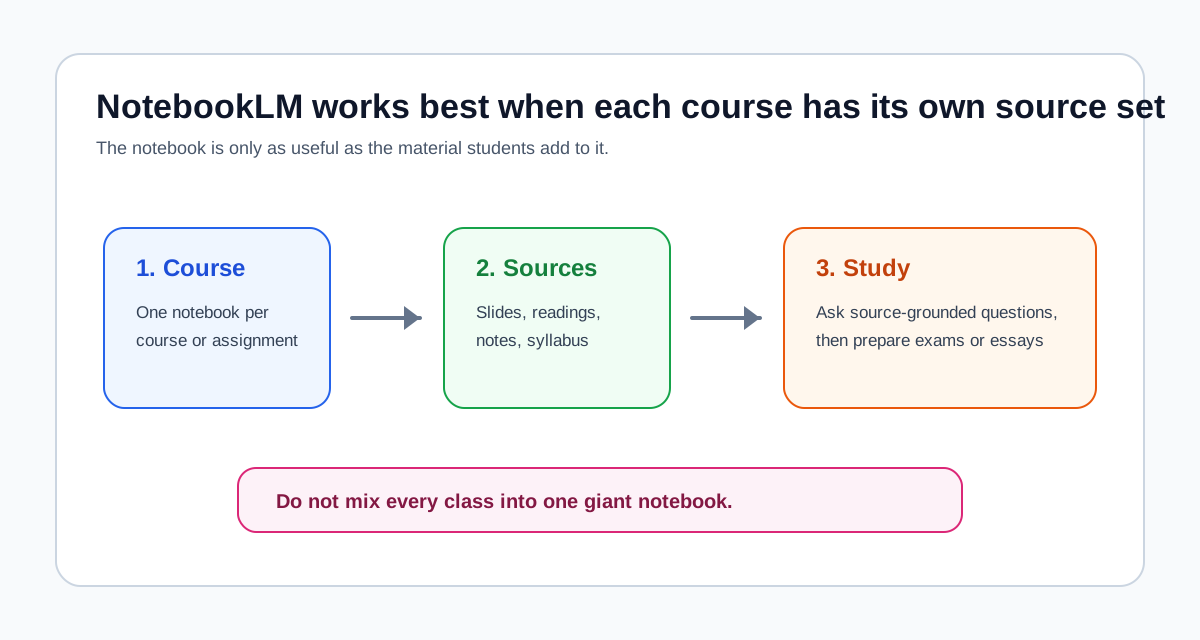
- Upload your lecture slides, readings, and notes into one notebook for each course or assignment.
- Ask questions about your own materials, not broad general-knowledge questions.
- Use it for exam prep with prompts like: "What are the key arguments in these readings?"
- Use it for essay prep with prompts like: "What evidence from these sources supports this thesis?"
- Do not use it as a replacement for reading. Use it after the reading to review, compare, and study more efficiently.
Why NotebookLM is different from other AI study tools
Most students first hear about AI for studying through ChatGPT. That makes sense because ChatGPT is popular and easy to open. The problem is that many study tasks are not general-knowledge tasks. They are course-material tasks.
If your professor assigned three readings, a chapter, and a slide deck, the safest study tool is not the one that sounds the smartest in general. It is the one that stays closest to what you were actually assigned. That is what makes NotebookLM useful.
NotebookLM works best when:
- your course has assigned readings
- your exam is based on lecture slides and notes
- your essay needs evidence from the sources you were given
- you want answers tied to your own material instead of broad internet-style summaries
It works less well when:
- you want general tutoring on a topic without any source material
- you need help finding new sources rather than studying what you already have
- you want brainstorming before you have done the reading
This is also why NotebookLM and ChatGPT are not interchangeable. NotebookLM vs ChatGPT for Studying, Research, and Literature Review explains the broader difference, but the short version is simple: NotebookLM is stronger when the question depends on your materials.
How to set up a study notebook
The quality of the notebook matters. A weak notebook gives weak answers.
Step 1: Create one notebook per course or assignment
Do not throw every class into one giant notebook. That creates confusion and lowers the value of the answers.
The best default is:
- one notebook per course
- or one notebook per major assignment if the source pack is large enough
That structure helps NotebookLM stay focused on the right context. It also keeps your exam prep cleaner later.
Step 2: Upload your actual course materials
This is the most important step. Upload the materials your course is actually based on:
- lecture slides
- assigned readings
- textbook chapters
- your own notes
- discussion handouts
- study guides
If the class is built around specific sources, those sources need to be in the notebook. NotebookLM can only be as useful as the material you give it.
Step 3: Upload the syllabus too
This sounds minor, but it helps more than many students expect.
A syllabus often contains:
- course themes
- weekly topics
- assignment structure
- reading priorities
- language your instructor keeps returning to
That context can make the notebook more aligned with how the course is actually taught.
Step 4: Clean up low-quality or irrelevant uploads
More files are not always better. If you upload random duplicates, incomplete screenshots, or unrelated material, the notebook becomes less useful.
The practical rule is:
- upload the materials that actually define the course
- avoid clutter
- update the notebook as the course develops
If you want the more research-oriented version of this setup logic, How to Use NotebookLM for Research covers the same principle in a different context.
Study workflows that actually work
The best way to use NotebookLM is to match it to a real study task. Students often get less value because they open the tool and ask vague questions. The practical question is not "what can NotebookLM do?" The practical question is "what am I trying to study right now?"
Exam prep
NotebookLM is very strong for exam prep when the exam is based on readings, lecture material, or both.
A good exam workflow looks like this:
- Upload the lecture slides, notes, and assigned readings.
- Ask for the main themes across those materials.
- Ask which concepts or arguments appear most often.
- Ask where the materials agree and where they differ.
- Turn the answers into your own review sheet.
Good exam-prep prompts include:
- "What are the main themes across these readings?"
- "What are the 5 most important concepts from these materials for an exam?"
- "Which ideas show up in both the lecture slides and the readings?"
This works especially well in humanities and social science courses, where the exam often depends on understanding arguments across several readings rather than memorizing isolated facts.
Essay writing
NotebookLM is also very useful for essay prep, especially when the paper has to rely on assigned sources.
Use it to ask questions like:
- which sources support a particular argument
- which sources challenge that argument
- what evidence appears across several readings
- how different authors define the same issue
That makes it a strong tool for planning essays before the drafting starts. It does not replace the writing. It helps you see the material more clearly before you write.
This is where NotebookLM usually beats a general chatbot for source-based assignments. It is easier to stay grounded in what the assigned material actually says, which means fewer invented claims and fewer off-topic detours.
Reading comprehension
Sometimes the problem is not the whole course. Sometimes one reading is just difficult.
In that case, upload the reading and ask specific questions:
- What is the main argument?
- What evidence is the author using?
- How does the author define the key concept?
- What would I need to understand to discuss this in class?
The biggest gain here is not magic summarization. The gain is that NotebookLM helps you stay inside the reading instead of wandering into unrelated explanations.
Group study
NotebookLM can also be useful in group study if each person contributes notes or summary material.
A practical group-study setup is:
- Upload the shared course materials.
- Add notes from different group members.
- Ask what appears consistently across the materials.
- Ask where different notes emphasize different ideas.
This can help a study group spot what everyone understood and what still needs discussion.
Prompts you can copy right now
These are the kinds of prompts that work well because they are specific and tied to your course materials.
- "Summarize the main argument of each uploaded source in 2-3 sentences."
- "What do these readings agree on about [topic]? Where do they disagree?"
- "If I had to write an essay arguing [thesis], which sources would support me and which would challenge me?"
- "What are the 5 most important concepts from these materials for an exam?"
- "Explain [concept] using only the definitions and examples from my uploaded materials."
- "Which ideas appear in both the lecture slides and the readings, and which only show up in one?"
The reason these prompts work is that they ask NotebookLM to do something concrete with your sources. Vague prompts like "tell me about this topic" usually produce weaker answers because they do not reflect how course-based studying actually works.
NotebookLM vs ChatGPT for studying
The short version is this:
- NotebookLM is better for questions tied to your own readings, lecture slides, and notes.
- ChatGPT is better for brainstorming, outlining, and general explanation.
That means NotebookLM is usually the better study tool for:
- reading-based exams
- source-based essays
- classes with lots of assigned material
- questions where accuracy depends on the exact course sources
ChatGPT is usually the better study tool for:
- brainstorming essay angles
- explaining a broad concept in simpler language
- rewriting your own notes or drafts
- generating practice questions from a topic you already understand
The best combination is often:
- use NotebookLM for source work
- use ChatGPT for writing help
If you want the full breakdown, read NotebookLM vs ChatGPT for Studying, Research, and Literature Review. If you want the more general student angle, NotebookLM for Students is the closest companion piece to this guide.
Common mistakes students make
Uploading too few materials
If you only upload one slide deck and ask the notebook to help with the whole course, the results will be thin. Your notebook is only as good as what you put in.
Asking vague questions
"Tell me about this topic" is usually a weak prompt.
Better prompts ask for something specific:
- main arguments
- strongest evidence
- key concepts for an exam
- where two readings agree or disagree
Specific questions usually produce better study value.
Using NotebookLM instead of reading
This is the biggest mistake.
NotebookLM should support the reading, not replace it. If you skip the reading and only rely on notebook answers, your understanding will usually be shallower. The tool works best after you have engaged with the material and need help reviewing, comparing, or organizing it.
Mixing different courses in one notebook
One giant notebook for everything sounds convenient, but it usually lowers answer quality. Keep your notebooks separate so the context stays clean.
When not to use NotebookLM
NotebookLM is not the best first tool when:
- you need general tutoring before you have course materials
- you want creative brainstorming rather than source-grounded answers
- you need help drafting prose more than reviewing material
- your task depends on finding new sources rather than studying assigned ones
This is where other tools become more useful. AI Research Workflow: Which Tool for Which Stage is broader than a study article, but it is useful if you want to understand where NotebookLM fits compared with other AI tools.
Best for whom
First-year undergrads
First-year students often benefit the most because NotebookLM adds structure to a study process that is still new. If you are learning how to work with lecture slides, assigned readings, and essay prompts, a notebook based on your actual course material can be much safer than a general chatbot.
Upper-level and graduate students
Upper-level students usually get even more value because their assignments rely more heavily on source comparison, argument tracking, and evidence from readings. NotebookLM becomes especially useful in seminars, reading-heavy courses, and advanced essay-based classes.
Self-learners
Self-learners can also benefit, but only if they build a real source set first. If you are studying from a textbook, a course pack, or a set of articles, NotebookLM can help a lot. If you just want open-ended tutoring without materials, it is not the strongest choice.
Final recommendation
NotebookLM is one of the best study tools for students whose work depends on actual course materials.
Use it when the class revolves around readings, lecture slides, notes, and source-based assignments. Set up one notebook per course, upload the materials that actually matter, and ask specific questions tied to exams and essays. Do not use it as a substitute for reading. Use it as a study companion after the reading, when you need to review, compare, and prepare.
If your study task depends on your assigned materials, NotebookLM is usually the safer choice than a general chatbot. If your task depends on brainstorming or drafting, pair it with ChatGPT instead of trying to force one tool to do everything.
Related reading
- NotebookLM vs ChatGPT for Studying, Research, and Literature Review
- NotebookLM for Students
- How to Use NotebookLM for Research
- AI Research Workflow: Which Tool for Which Stage